 Productivityby Nishant Chauhan
CopyDesk: Clipboard History
Clipboard manager, saved replies & text shortcuts. Quick paste into any app.
- Installs
- 50+
- Content rating
- Everyone
- Released
- Jan 1, 2026
- Updated
- Oct 28, 2026
- Version
- 2.0.0
- Price
- Free
- Ads
- Contains ads
- In-app purchases
- Yes
Screenshots
About CopyDesk: Clipboard History
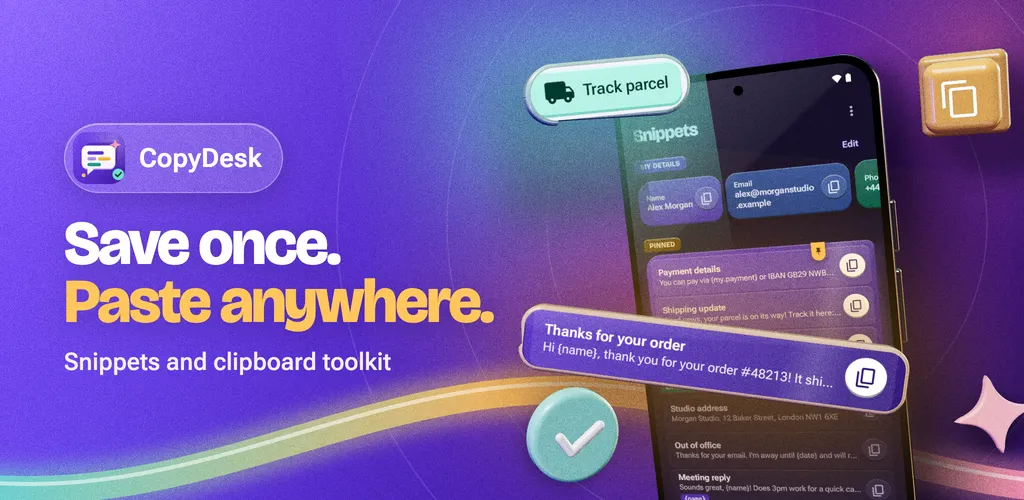
Clipboard history, saved replies and quick paste in one private clipboard app. Copy once, paste into any app in two taps.
CopyDesk is a clipboard manager for Android that also keeps your snippets: reply templates, canned responses, addresses, links and any text you type again and again.
Clipboard history
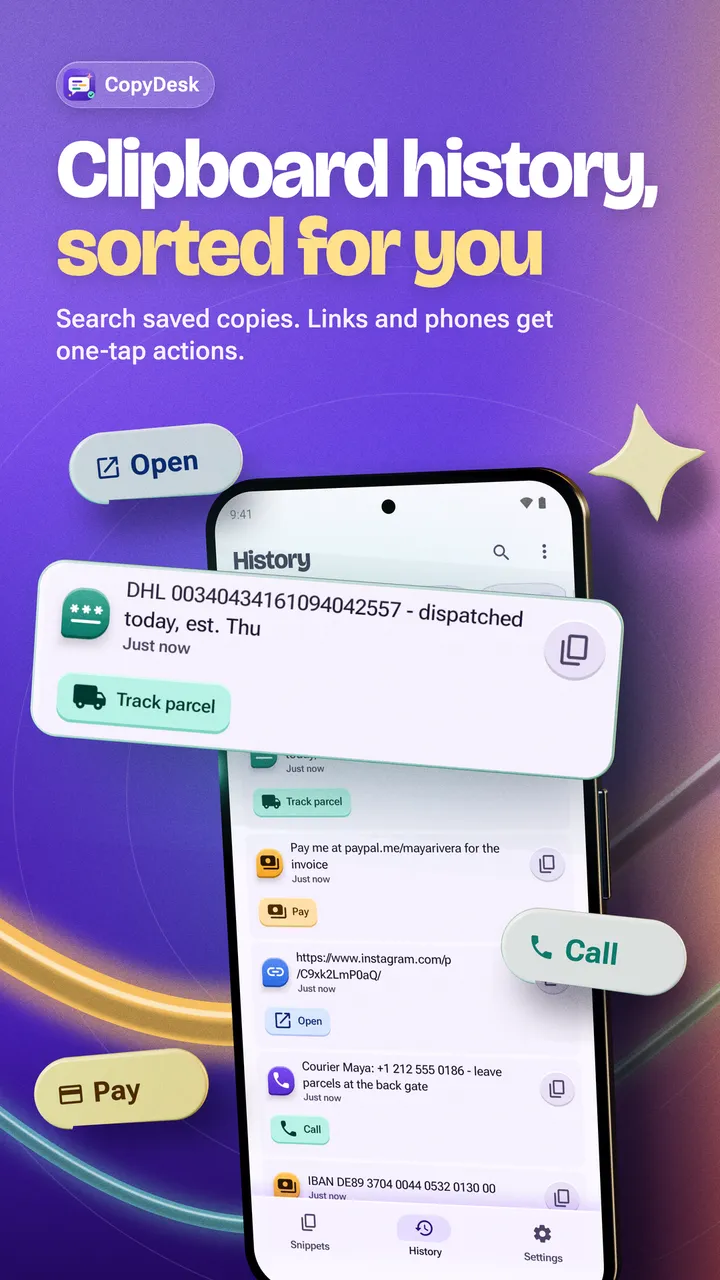
Everything you copy while CopyDesk is open is saved in your clipboard history. Search it with typo-tolerant search, filter by links, phone numbers, emails or addresses, pin what matters and turn any clip into a reusable snippet with one swipe. Share text to CopyDesk, or select text in any app and tap CopyDesk in the copy paste menu to save it.
Saved replies and text templates
Write a reply once: "Hi {name}, your order {order} ships today." Fill in the blanks when you paste. Variables like {date} and {my.name} fill themselves in. Save your name, email, address and phone once in My details. Start from ready-made reply packs.
Text expander style shortcuts
Give a snippet a shortcut like /hi or /addr and find it in a second. Works as canned responses for business chats, DMs, email and support, without an accessibility permission.
Quick paste into any app
Open quick paste from the Quick Settings tile, a home screen widget or an optional notification. Or switch to the CopyDesk snippet keyboard, a paste keyboard that inserts your saved text right in the text box, then switch back to your usual keyboard.
Smart chips
CopyDesk spots links, phone numbers, emails, addresses, payment handles and tracking numbers and offers the right action in one tap: open, call, email or map.
Private clipboard
Your clips and snippets stay on your device. Passwords, cards and one-time codes are skipped by default. The snippet keyboard only inserts what you pick and never reads what you type. Scan text from images (OCR), rewrite and translate on your phone, with no cloud AI. Translation language packs download the first time you use them.
Free and Pro
Free: unlimited clipboard history, up to 20 snippets, every way to paste, text scanning and translation with daily limits. The free version shows ads (Google AdMob); where required, you choose your ad consent on first launch. Firebase Analytics and Crashlytics collect usage and crash data, never the text of your clips. Pro is a one-time purchase, no subscription: no ads, unlimited snippets, encrypted backup and restore, automatic backup to your own Google Drive, themes, unlimited scanning, and on-device rewrite, proofread and shorten on supported phones. You can also watch an ad to try Pro for 24 hours.
Who it is for
- Sellers who send the same price, payment and delivery replies every day
- Support and sales teams who need saved replies on the phone
- Freelancers and recruiters with templates for clients
- Students and writers who collect quotes, links and notes from many apps
- Anyone who wants a copy paste app that remembers more than the last clip
Questions or ideas? Use Support inside the app.
Questions
Answers come from the Google Play listing.
Is CopyDesk: Clipboard History free?
Yes, CopyDesk: Clipboard History is free to download from Google Play and contains ads and offers in-app purchases.
Where can I download CopyDesk: Clipboard History?
CopyDesk: Clipboard History is available for Android on Google Play: https://play.google.com/store/apps/details?id=com.mobileappzgroup.copydesk
Who makes CopyDesk: Clipboard History?
CopyDesk: Clipboard History is developed by Nishant Chauhan under the MobileAppzGroup label.
When was CopyDesk: Clipboard History released?
CopyDesk: Clipboard History was first released on Google Play on Jan 1, 2026.