 Photo & Imageby Nishant Chauhan
ShotSpace Screenshot Organizer
Find text in screenshots. Swipe to sort, delete junk, copy codes. Private.
- Installs
- 10+
- Content rating
- Everyone
- Released
- Dec 28, 2025
- Updated
- Nov 2, 2026
- Version
- 2.0.0
- Price
- Free
- Ads
- Contains ads
- In-app purchases
- Yes
Screenshots
About ShotSpace Screenshot Organizer
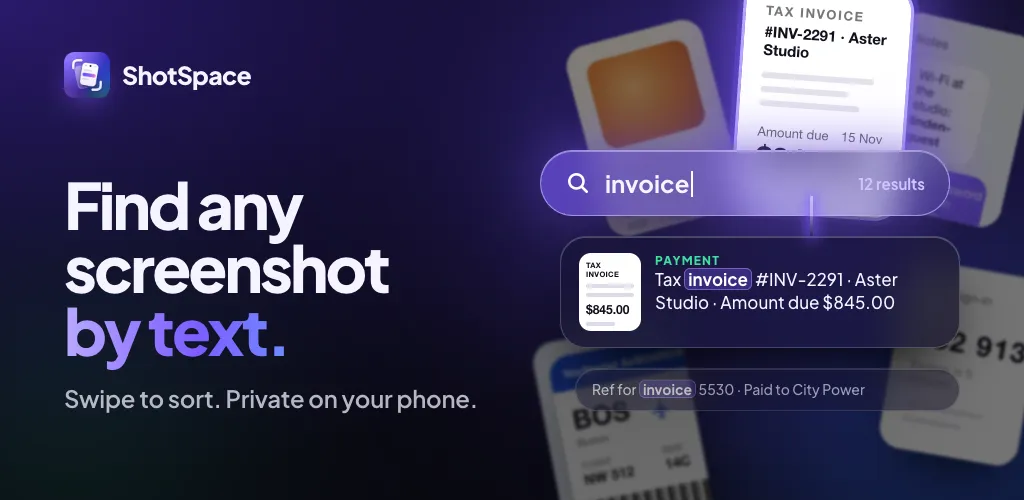
ShotSpace is a screenshot organizer that reads the words inside your screenshots, so you can find text in screenshots and search screenshots by any word you remember.
Think of it as an inbox for screenshots: swipe to keep or delete, and act on codes, links and dates. A simple screenshot manager for Android. Your screenshots never leave your phone.
Find Text in Screenshots
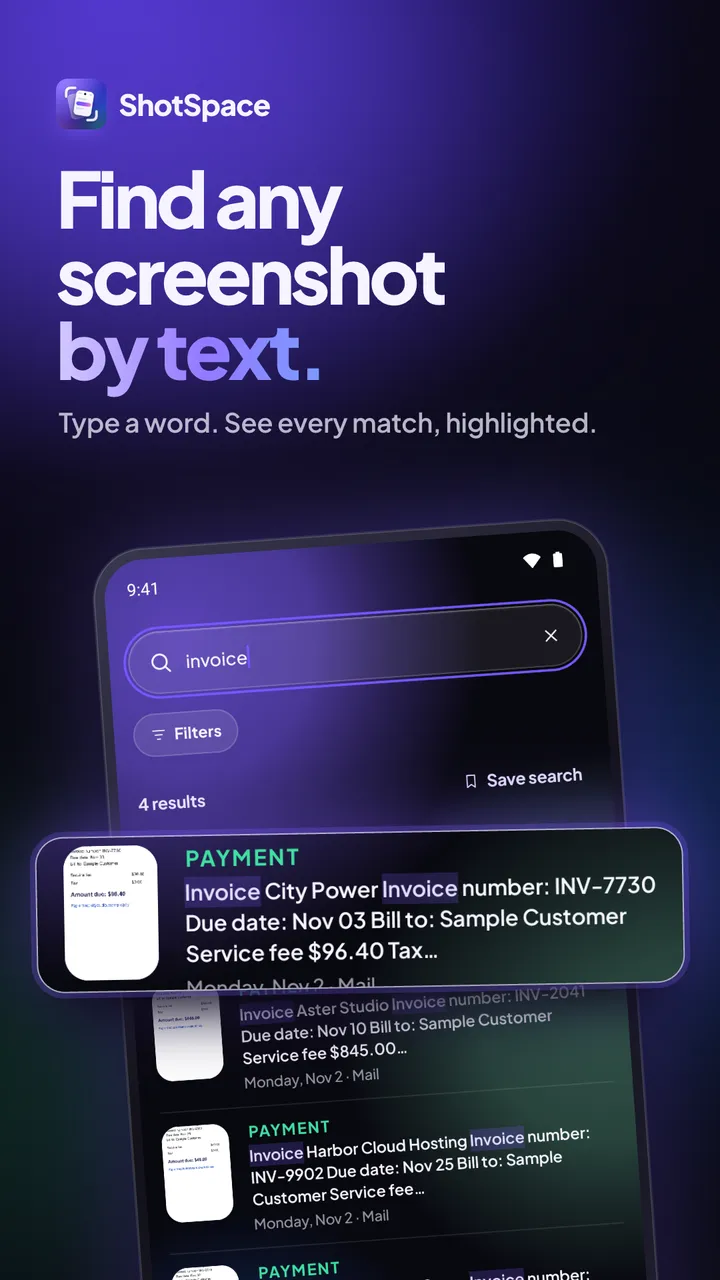
Type a word and see the screenshots that contain it, with the match highlighted. Search screenshots by text, then filter by type, date, app or folder. • Copy text from a screenshot instead of retyping it • Save the searches you repeat • Handles small typos in Latin-script words • On-device text recognition (OCR) reads Latin-script text; add Devanagari, Chinese, Japanese or Korean in Settings (small one-time download)
Your Screenshot Inbox
- Screenshots you take show up in your Inbox
- Swipe right to keep or left to delete, with Undo
- See how much space you freed
Clean Up Screenshots
Use ShotSpace as a screenshot cleaner and delete screenshots you no longer need. The Clean up screen gathers expired codes, past tickets and duplicate screenshots, and can flag blank or blurry shots. • Screenshots with notes, tags or folders are never flagged as junk • Nothing is deleted until you confirm in Android’s own dialog, and deleted items go to the trash first • One-tap bulk clean is a Pro feature
Receipts, Tickets, Codes and Links
- Tap to copy a code or booking reference, open a link, or call a number
- Screenshot to calendar: tap a date to add the event to your calendar
- Screenshot reminder: set a reminder on any screenshot, like a bill or ticket
- Spend view adds up amounts from receipts and payment screenshots by month
Organize Screenshots Your Way
- Folders, tags, notes, favorites and highlights
- Smart folders: set a rule once and matching screenshots file themselves (1 rule without Pro)
- Find similar screenshots and duplicates
- Share images, text or links into ShotSpace from other apps
- Home screen widgets for your Inbox, screenshot search and reminders
Private by Design
- No account and no ShotSpace server
- Your screenshots are read on your phone and never leave it
- Vault (Pro): keep sensitive screenshots behind your fingerprint or screen lock
- Redact (Pro): cover private details on a copy before you share
- Export everything at any time, with or without Pro
ShotSpace Pro
The core screenshot organizer works without Pro, with ads: Inbox, search, junk review, reminders, folders, tags and export. Pro removes ads and adds one-tap bulk clean, unlimited smart folders, Vault, Redact, backup and Spend CSV export. Pro is a monthly or yearly subscription, or a one-time lifetime purchase, billed through Google Play. Backup (Pro): save your folders, tags, notes, reminders and the text found in your screenshots to a file or to your own Google Drive. The screenshots themselves are not uploaded.
Good to Know
ShotSpace needs photo access to find your screenshots. Allow all photos and screenshots you take show up on their own, or choose Select photos and it works with just those. Requires Android 11 or later. ShotSpace is available in 13 languages. Cyrillic, Arabic and Thai text is not recognized.
Questions
How do I search text inside screenshots on Android? Open ShotSpace, allow photo access, let the first scan finish, then type a word in Search. How do I delete many screenshots at once? Swipe through your Inbox or open Clean up, then confirm once in Android’s dialog. Can I copy text from a screenshot? Yes. Open it in ShotSpace and copy all of its text, or just a code or link. How do I organize screenshots on Android? Open ShotSpace, go through your Inbox, and swipe to keep or delete. Add folders and tags for the ones you want to keep.
Clean up your screenshots once, then keep your Inbox clear with a quick daily swipe.
Questions
Answers come from the Google Play listing.
Is ShotSpace Screenshot Organizer free?
Yes, ShotSpace Screenshot Organizer is free to download from Google Play and contains ads and offers in-app purchases.
Where can I download ShotSpace Screenshot Organizer?
ShotSpace Screenshot Organizer is available for Android on Google Play: https://play.google.com/store/apps/details?id=com.mobileappzgroup.shotspace
Who makes ShotSpace Screenshot Organizer?
ShotSpace Screenshot Organizer is developed by Nishant Chauhan under the MobileAppzGroup label.
When was ShotSpace Screenshot Organizer released?
ShotSpace Screenshot Organizer was first released on Google Play on Dec 28, 2025.